
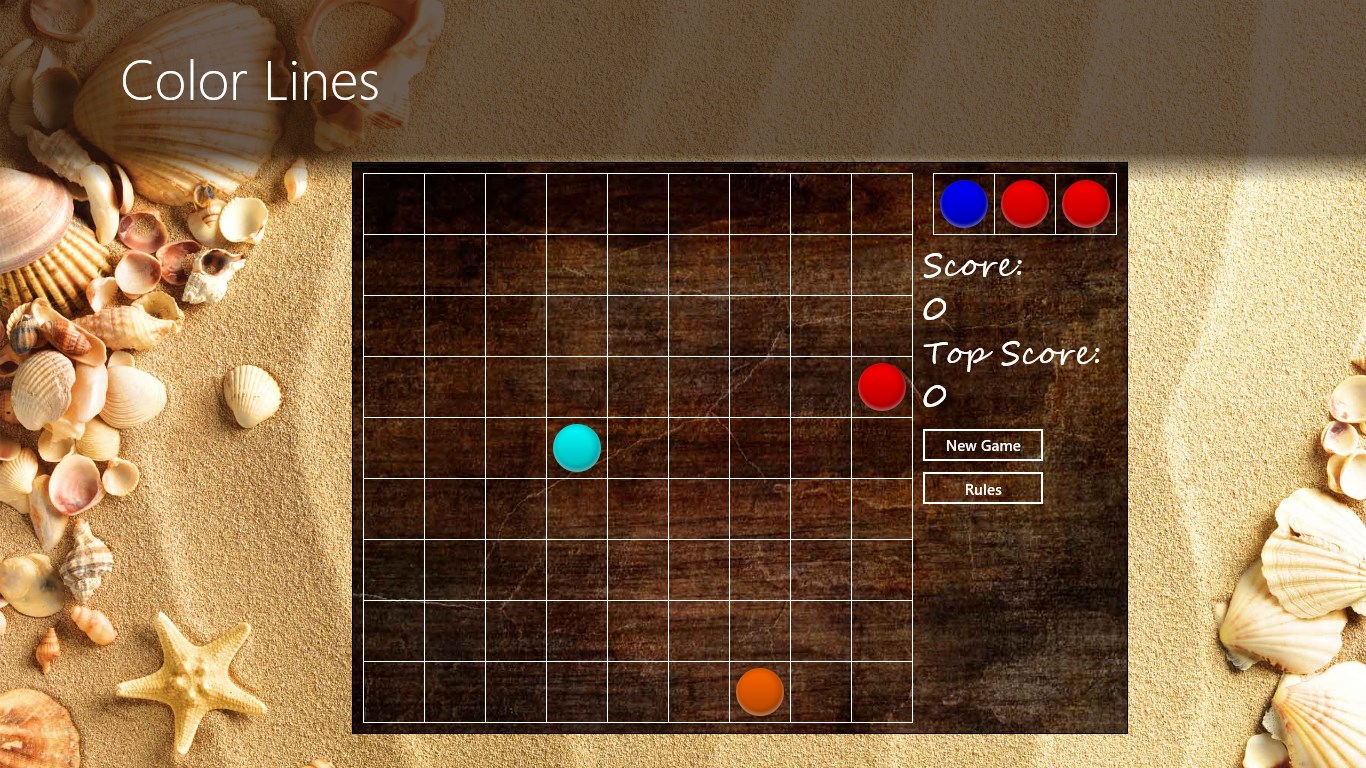
Jujuba Software Color Lines Modern UI app for Windows 8 provides you with a classic puzzle game that is reminiscent of the 1990s. Color Lines challenge you to try to line up five or more balls of the same color and score points.
- Colors Lines offers a user friendly interface that displays your current score and your top score.
- The New Game button allows you to easily begin again.
- You can also easily access the game rules by using the convenient Rules button on the Color Lines interface.
- Intuitive features allow you to pick up and move the ball by tapping it and then clicking on an empty square in the game grid.
- The ball can only be moved if there is clear path to the box in the grid.
- You can align five or more balls of the same color in a horizontal, vertical, or diagonal line. Once you have accomplished this the balls will disappear from the grid.
- If you fill every square in the grid, you lose the game.
- There is a feature on the right hand side of the screen that lets you see what balls are coming up next to allow you to contemplate your next move.
- The Color Lines app is available in the English language.
- Download size for the Color Lines app is 752KB.
- Color Lines supports x86, x64, and ARM platforms.
- Jujuba Software provides reliable tech support for the Color Lines app.
- We are always open to user feedback. If you have any thoughts about the app – let us know and we will make sure that the next version will always be better than the current.
Contact us with feedback or questions.